Black Friday and Cyber Monday are the anchor points of the retail sales calendar. Weeks of planning go into these four days, from making the most of acquisition channels to winning that first order.
But winning the first order is just getting a foot in the door. The real challenge is turning that first purchase into a lasting customer relationship. If customers don't return, you have to spend on acquisition all over again.
Here's how you can set up store credit and cashback into your Black Friday strategy to bring customers back for their next purchase, without having to wait for the next big sale.
What Does Customer Acquisition Cost You During Black Friday?
You and your competitors are targeting the same customers during the BFCM. This increases the advertising costs. According to Biddyco, Meta CPMs were 57% higher on Black Friday 2025 than an average month. Shops see a 3X conversion than usual average, so the acquisition cost and cost per order is covered during the sale period. 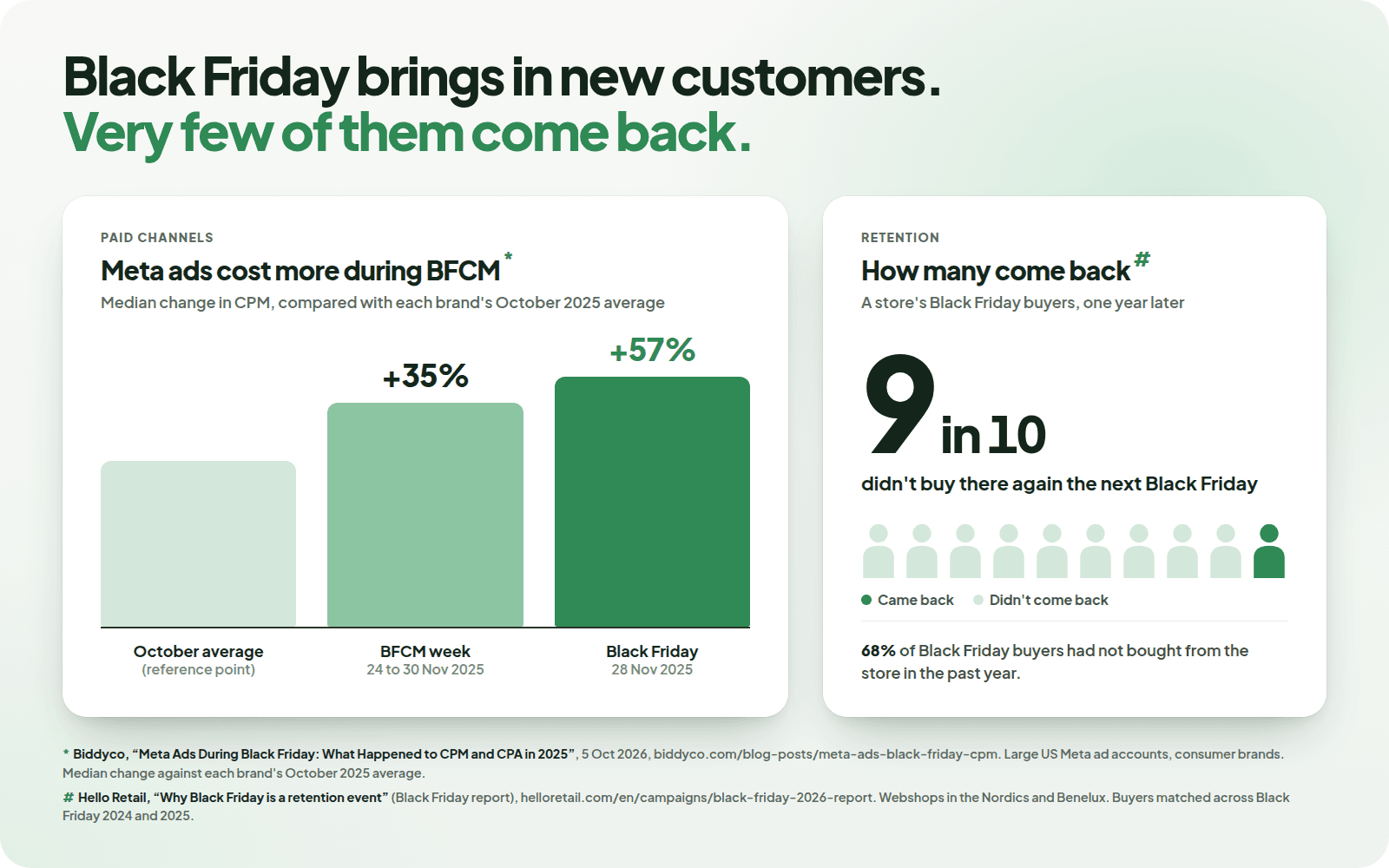
But the problem is what happens after? A successful BFCM sale doesn't automatically translate into repeat customers. Retention becomes the real problem.
The catch is that a cheap first order isn't the same as a cheap customer. According to Hello Retail's study of stores in Nordics and Benelux, about 9 in 10 of the previous year’s Black Friday customers didn’t place another order, a repeat purchase rate of only 10%. Acquisition cost only pays back when the first order leads to a second. You can see your own number in Shopify analytics as the returning customer rate.
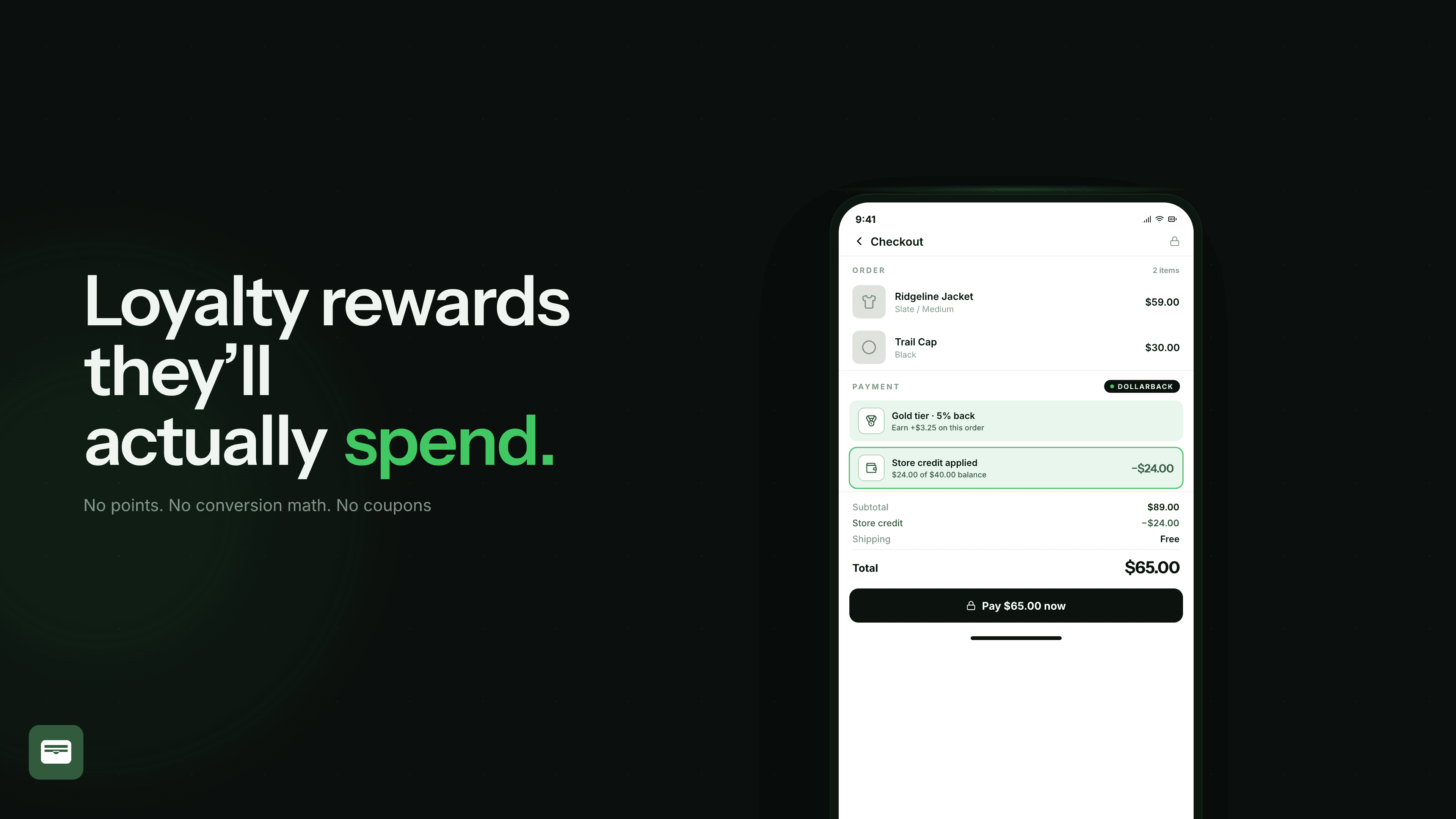
That's where loyalty programs come in. Pairing your BFCM discount with a cashback, paid as store credit for the next order gives customers a reason to shop again and turns a one-time purchase into a repeat order.
Black Friday Promotion Ideas: Cashback and Store Credit Offers That Bring Customers Back
Tiered cashback to increase average order value
Tiered cashback (also known as spend-based or order-value based cashback) are one of the best ways to incentivise the customer to spend a little more to reach the next band, and earn more cashback. For example, offer 4% cashback on orders below $100 and 8% on orders of $100 or more. A customer whose cart is at $90 now has a reason to add another item or two to reach the next tier.
Double cashback for the weekend
Make shopping from your store during BFCM worth it with double the cashback for a limited time. If customers normally earn 5% back, for example, you could offer 10% during BFCM. The higher reward gives them another reason to shop during the sale, without changing your everyday rewards program. Set clear start and end dates so the offer runs only for the intended period.
A bonus store credit for signing up before Black Friday
A little pre-sale store credit is a good way to build your Black Friday early access list. Give store credit to shoppers who create an account or join your email list a few weeks before the BFCM. It’s a win-win. You get an audience to reach when your campaigns go live. Set an end date for the redemption close to the sale, so that they actually make the purchase during BFCM.
Shopify store credit as cashback for referral rewards
Your customers are already sharing what they bought during the sale, so why not reward it? Referrers get double or triple cashback for every successful order their friends or family place, and their friend gets a bigger welcome discount/store credit that they can instantly use. This way you build out an acquisition channel that is most likely to convert, rather than paying upfront just to reach other shoppers.
You can combine these offers depending on your goals. For now, in this guide we’ll focus on spend-based tiered cashback, and how best to plan and set them up in Dollarback.
How to Plan Cashback Tiers and Spend Thresholds Program for Black Friday Customers
You would think the easiest way to create a rewards program for customers would be to follow a template. But no! Just because the structure works for another store, doesn't mean it will for you. Wrong thresholds can eat into your profits. Start with your order data from the last BFCM, or the last 90 days if you're new.
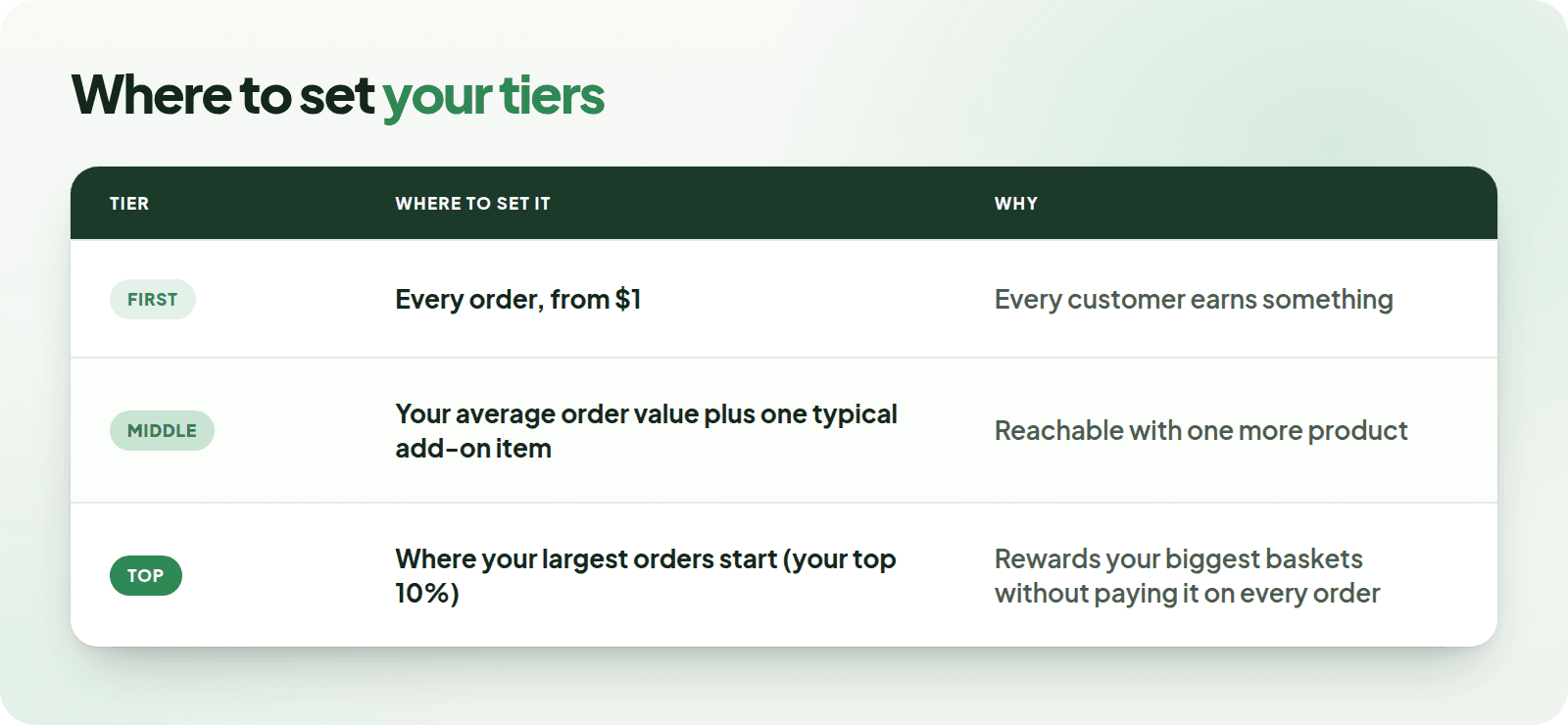
Here's what merchants usually ask us when they set this up:
Does the higher rate apply to the whole order? Yes. A $200 order at 8% earns $16, while a $199 order at 5% earns $9.95. You can also cap how much one order can earn maximum.
Is it based on the price before or after the discount? After. Tiers count what the customer actually pays, after the customer applies discount codes. So if you're running 25% off sitewide, set your tiers against the sale price.
Percentage or fixed amount? A percentage grows with the order. A fixed amount, like $10 back at $100, is easier for customers to read. If you are setting up a fixed amount, make sure to set it up as an order goal, so it pays once per order and not per item.
When should the credit unlock? Add a holding period so the credit only becomes usable after your return window, and an expiry so customers have a reason to come back soon. With a 30-day hold and a 60-day expiry. For BFCM, you can set it as credit can be used after December and is valid until late February.
How to Set Up Black Friday Cashback as Shopify Store Credit with Dollarback
Create the program
Go to Dollarback admin → Cashback and choose Purchase reward. Give it a name customers will recognise, like "Black Friday Cashback", since it shows up in your widgets and emails.
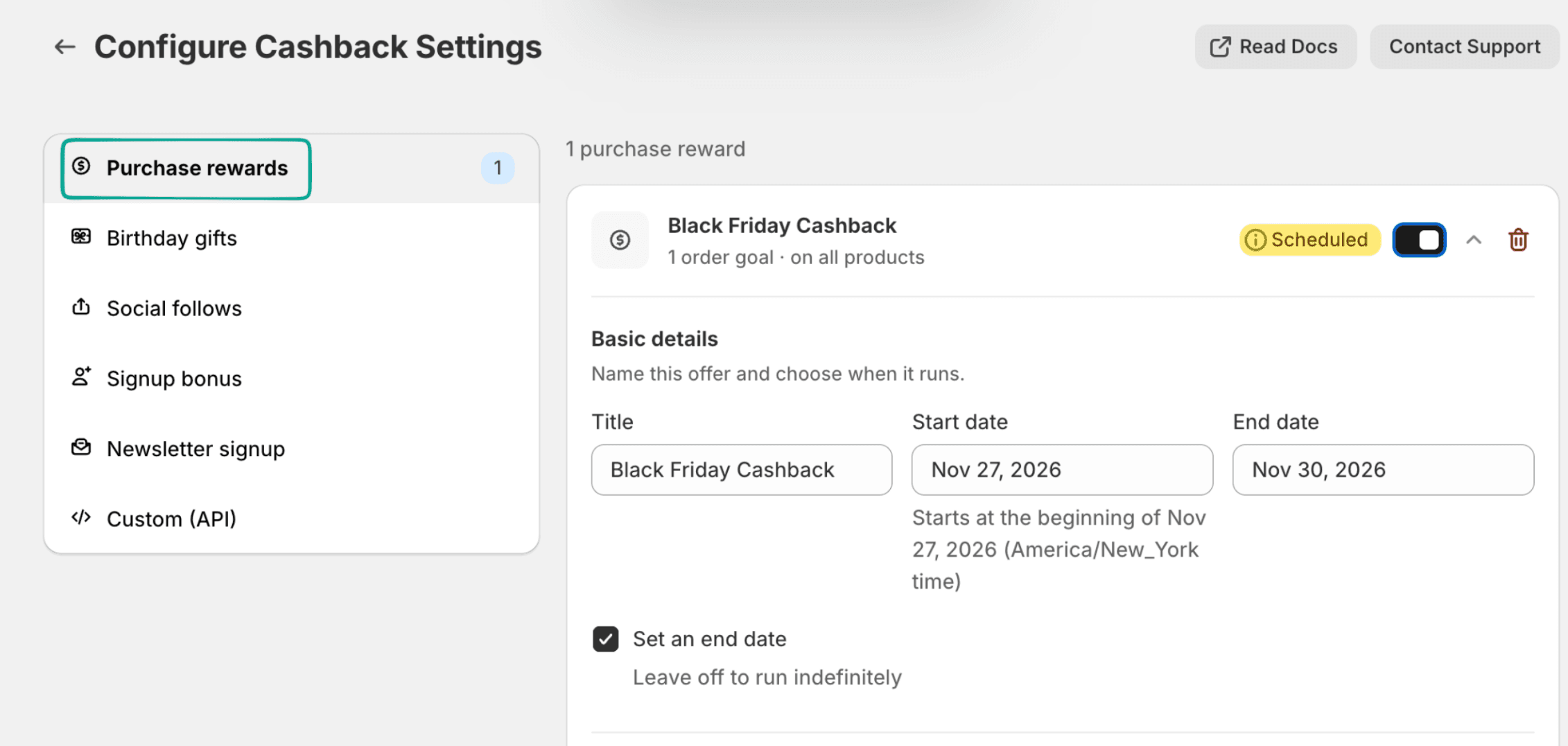
Pick order goals
In the value selector, choose Order goal. Then pick Percentage of order goal for a percentage back, or Fixed cashback for a set amount.
Add your tiers
Click Add order goal for each tier and fill in the spend amount and the reward.
Set the dates
Add a start and end date that cover the whole sale, including all of Cyber Monday. The program switches off on its own after that. You can also add a Frequency limit, for example once per customer for the sale.
 \
\
Choose which products count
Keep All products to count the whole order, or pick specific collections, products or variants to run the tiers on part of your store, like "spend $100 on skincare, get 10% back".
Set when the store credit unlocks
Under Settings → Trigger & Timing, add a holding period so the credit becomes usable after your return window. Then set an expiry on the program, so customers have a reason to come back soon.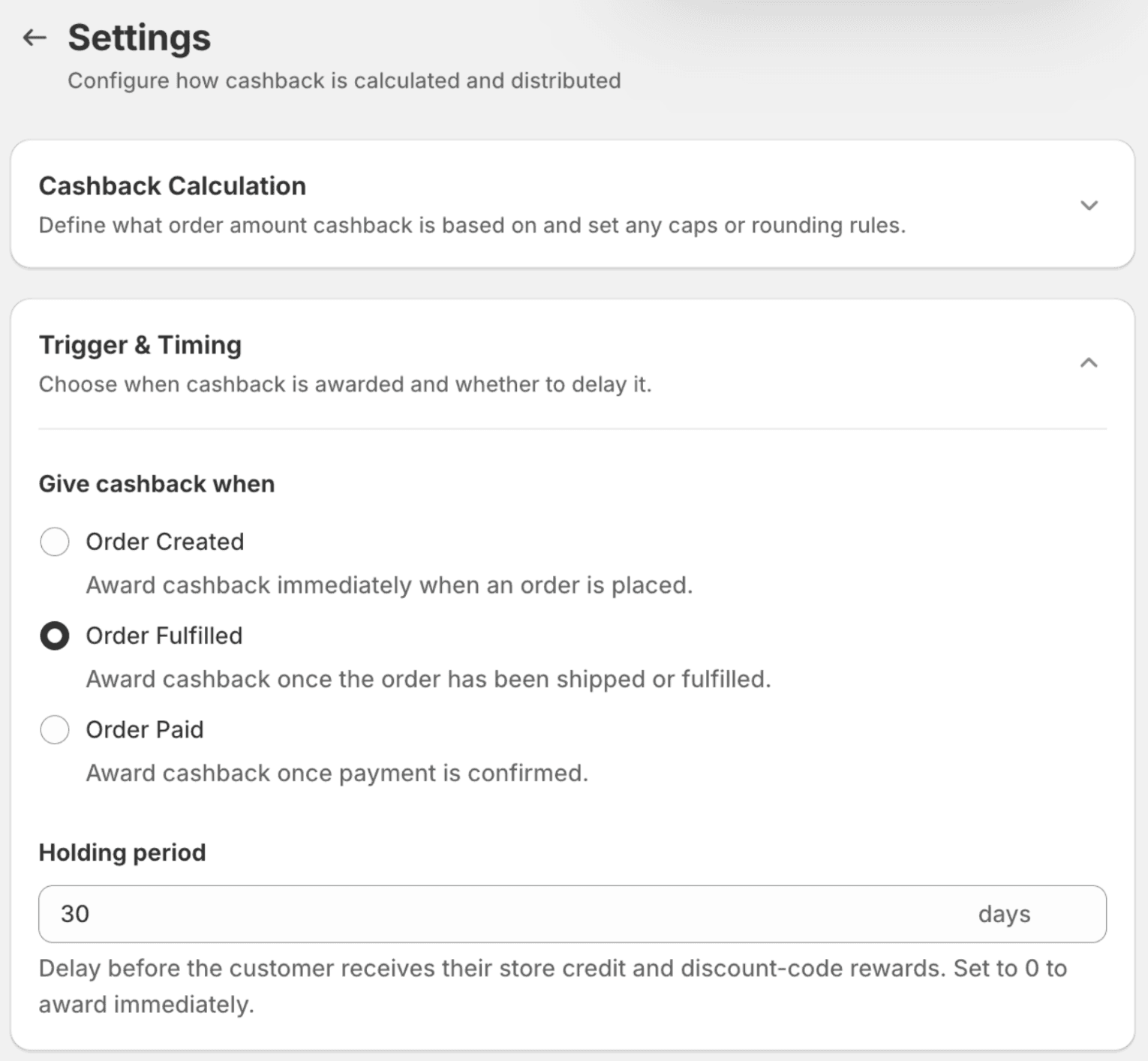
Show customers the next tier
Add the product page and cart blocks to your theme, then edit the messages under Dollarback admin → Customization, like "Add $20 more to earn 8% back". The message also shows inside cart drawers like Rebuy, Upcart, Monster and AMP.
Test every tier before launching the cashback program
Run a test cart through each tier and read the messages. Then place a test order and check the amount in Analytics → Activity.